You may like your face from the front and feel unfamiliar with it from the side. The useful question is what you are seeing: the bridge of the nose, the curve beneath the lower lip, or the position of the chin relative to the other features. A profile analysis gives those observations names and measurements.
What does side profile analysis measure?
A frontal photo lets our other tools compare left and right features. The Side Profile Analyzer follows the outline in a different image. Its readings describe how selected points relate within that photograph, rather than combining them into an overall beauty rating.
Our tool finds a suggested outline on your device, places measurement points and produces automatic estimates when the outline is usable. You can open the point review if the markers do not follow the silhouette. That visible check matters: a plausible-looking number can still come from a misplaced point.
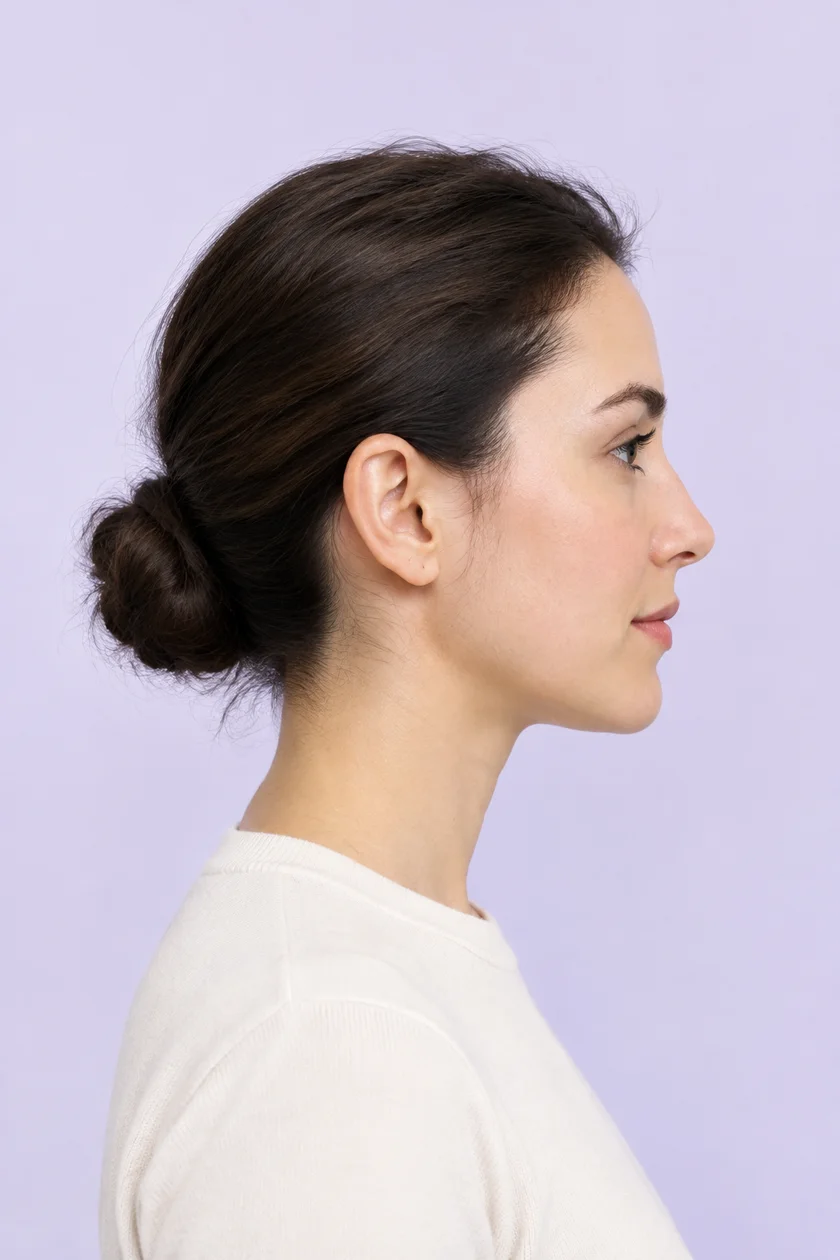
A guide to the side profile measurements
The result includes six numerical readings, a nose-bridge description and visible thirds. Here is what each reading means in our implementation.
| Reading | What it describes | What to check |
|---|---|---|
| Facial convexity | The signed bend through brow, nose base and front of chin. | All three points must follow the visible outline. |
| Nasofrontal angle | The transition from the brow to the nose bridge at the nose root. | A misplaced root changes the angle. |
| Nose–lip angle | A three-point proxy using the nose tip, nose base and upper lip. | This is not a full clinical nasolabial construction. |
| Lip–chin angle | The bend through the lower lip, fold beneath it and front of chin. | Check the fold point, rather than a shadow nearby. |
| Upper lip / E-line | The upper lip's signed offset from the nose-to-chin line. | Reported as a percentage of nose-root-to-tip length. |
| Lower lip / E-line | The lower lip's signed offset from the same line. | Read it alongside the upper lip and line endpoints. |
Analyze your side profile Free · No account · Photo processed on your device
Straight, convex or concave: what do the labels mean?
Our profile description uses the brow, nose base and front of the chin. A positive bend describes a convex relationship, a negative bend a concave relationship, and a small positive bend is labeled near-straight. These labels describe the selected points in the image.
A convex result does not identify which feature caused the relationship, and it cannot diagnose the position of the jaw bone. To understand the reading, select facial convexity in the result and follow its lines on the photo. Check the nose-base point and chin point before interpreting the label.
Other tools may display an internal angle where ours displays a signed bend. Two different numbers can therefore refer to different constructions. Compare the landmark definitions and the angle convention before comparing values.
What is the E-line, and how should you read it?
The E-line is a straight reference from the nose tip to the front of the chin. Our tool measures each lip's perpendicular distance from that line and divides it by the nose-root-to-tip length. This creates a normalized percentage for the photo.
- A negative value means the lip point sits behind the line.
- A positive value means it sits ahead of the line.
- A value close to zero means it lies close to the line.
For an illustrative example, suppose the reference nose length is 100 image units and the upper lip is 8 units behind the line. The reading is −8%. This is not −8 millimeters. An ordinary uncalibrated image does not provide a reliable physical ruler.
The line depends on both endpoints. Moving the chin point while leaving the lip point fixed can change the lip reading. Read it as a relationship among the nose, lips and chin, rather than a separate grade for the lips. The tool does not assign an ideal E-line distance.
What do nose shape and visible thirds add?
The nose-bridge description compares a mid-bridge point with a line from the root to the tip. It names a near-straight, convex or concave bridge in the photo. Hair, shadows or an inaccurate root point can interfere with the outline suggestion, so inspect the markers when the label looks unexpected.
The profile thirds run from the visible hairline to the brow, brow to nose base, and nose base to the front of the chin. They are displayed as percentages of the combined measured span. For example, 30% / 35% / 35% describes how that span is divided; it is not a score of 30, 35 and 35.
The front-of-chin endpoint differs from the lowest chin point used in some other methods. The frontal analyzer also uses a different upper boundary. These results should not be treated as interchangeable with each other or with clinical facial thirds. See our facial thirds guide for the frontal method.
How to take a useful side profile photo
- Turn fully to one side. Use a left-facing or right-facing profile, rather than a three-quarter view.
- Keep the camera level. Set it roughly at ear height. Use a timer or ask someone to take the photo.
- Leave the outline visible. Move hair away from the forehead and keep the nose, lips and chin in frame. Remove glasses when practical.
- Use a plain contrasting background. Choose even light so the face outline is easy to distinguish.
- Relax your expression. Avoid pressing the lips together or stretching the neck to change the silhouette.
If you want to compare a second photo, keep the camera position, distance and pose similar. Our tool clears the workspace on refresh and has no automatic history; save a card if you want to keep a reading.
How to read your results without overreading them
Start with the photo. The automatic points are initially unreviewed estimates. If they miss your silhouette, select Review my measurement points, correct them and recalculate. Confirmed result points stay fixed until you explicitly enter review.
Next, select a measurement row to highlight its lines. The bar locates your value on a display scale; it does not indicate a healthy range or a beauty target. A marker near one end is a reason to inspect the photo and point placement before drawing a conclusion.
Finally, use Share my profile to open the preview dialog. You can choose whether the photo appears on the card, then share or download it. If your next question is about hairstyles or color direction, the Full Report begins a separate analysis with a front-facing photo.
Frequently asked questions
What makes a good side profile?
Our tool does not define one universal target. It describes your silhouette through visible relationships. A styling question can be more specific: which hair shape or framing do you want to compare?
Can I get a side profile rating out of ten?
This analyzer does not combine the measurements into a rating. Its angles, E-line offsets and proportions describe the visible relationships in your side-on photo.
Does the result show a recessed chin?
It shows the chin point relative to other visible points. A photo reading cannot diagnose jaw position, bite, an airway condition or a need for treatment.
Can I use a front-facing selfie?
Use a true side-on image for this tool. The frontal PSL Scale Test and attractiveness test use a different photo and analysis method.
Is my side profile photo uploaded?
The free profile analyzer processes the image and points in your browser. It downloads its outline model to your device; it does not send your photo to a server for this analysis.
Does Full Report use these side profile results?
The current Full Report starts with a separate front-facing photo. The side profile image and readings are not automatically carried into it.
Further reading and method notes
For additional explanations of profile terminology, see Refrakt's guide to convexity, angles and the E-line. It describes a different product and measurement approach. The table, percentage example and result instructions above document FaceStyle Analyzer's own photo tool; we do not adopt external clinical ranges as targets for its simplified measurements.
Related tool: try the PSL Scale Test for a frontal photo-based range with its own explained conversion.
Explore your full report.
Bring your interest in facial proportions into a broader styling discussion. The complete PDF includes detailed feature measurements, one AI styling concept, six hairstyle images, color direction and a four-week plan.
Start with a clear front-facing photo. Preview your frontal measurements first; the complete PDF is a one-time purchase.